
Cookie consent banner + real blocker
Not just a pretty notice: it actually blocks every cookie and tracking script server-side, until the visitor consents - and keeps a court-ready evidence log.
Everyone shows a banner.
We actually block.
Most cookie plugins politely ask for consent while Google and Meta are already collecting data in the background. Consent Shield Pro rewrites your pages server-side and stops every tracking script before it loads, until the visitor says yes.
We practice what we sell: this page has zero trackers, zero pixels and zero third-party calls - even the fonts are self-hosted. Notice there's no consent banner here? That's on purpose: no cookies means nothing to ask consent for. That's the whole point.
This is a live demo of the real mechanism.
Privacy laws now have teeth.
GDPR penalties reach 4% of global revenue. CCPA adds per-violation fines. Israel's Tikun 13 gives its regulator direct enforcement powers.
Non-essential scripts may load only after an explicit opt-in from the visitor, not after "continued browsing".
Who consented, when, and to which policy version. Without a log, there is no proof.
Official guidance from the Israeli Privacy Protection Authority: Amendment 13 Q&A (gov.il, Hebrew) · Professional implementation guide (PDF, Hebrew)
This page is a technical description of the plugin's capabilities and is not legal advice.
Three steps, zero leaks
The difference between a "banner" and real protection is the mechanism. Here is how it works:
The page is rewritten server-side
Before the visitor's browser even downloads the page, every tracking script is neutralized - even ones another plugin injected: GTM, pixels, Elementor custom code, header/footer snippet plugins (WPCode, Insert Headers and Footers), and even YouTube and Maps iframes. We rewrite the final HTML, not just scripts loaded via wp_enqueue.
The visitor chooses
A fast banner in the visitor's language (by country), with categories: essential, functional, analytics, marketing. The choice is written to the log.
Only what was approved is released
A tiny JavaScript releases exactly the approved categories, in real time and without a reload - and automatically fires Google Consent Mode v2 signals to Google. Declined? Everything stays in quarantine.
This is what tracking code and embeds look like after the blocker handles them: the browser simply never runs them.
<script src="googletagmanager.com/gtag.js">
<script type="text/plain" data-pcm-blocked="1">
What you get in Pro
Everything in the free version, plus the layer that turns a business site into a tidy business.
Every visitor gets the wording their own law asks for
Edge country detection (Cloudflare): a visitor from Berlin sees GDPR wording, a visitor from New York sees CCPA wording with "Do Not Sell", and a visitor from Tel Aviv sees Hebrew wording under Israel's privacy law. No setup, no extra plugins.
A separate set of texts for every language on the site
Geo picks the regulation, this picks the language. Every text you typed can have its own version per language: the banner paragraph, the button labels, the category names and descriptions, the floating-button label, and a separate Privacy Policy page per language. The banner follows the WordPress locale, so it works next to Polylang, WPML or TranslatePress, with a bilingual theme you built yourself, and on a site with no multilingual plugin at all. One English entry also covers en_GB, en_CA and en_AU, so you write it once. Any field you leave empty keeps the plugin's own translated default, which already ships in Hebrew, English, Arabic and Spanish.
An evidence-grade consent log
Every choice is recorded with a unique ID, timestamp, categories and policy version. You choose how long to keep it and how many records to hold, up to 100 years and 1,000,000 records, in the free version too. One-click CSV export, and a separate admin activity log. When a request arrives, you have an answer.
| uuid | choice | policy | timestamp |
|---|---|---|---|
| 8f3a | accept_all | v3 | Jul 10 09:14 |
| 77b1 | analytics | v3 | Jul 10 09:16 |
| c25d | decline | v3 | Jul 10 09:21 |
| 1e9f | essential | v2 | Jul 09 22:03 |
Design without compromises
A solid color or gradient for every button, icons on the buttons, shadows, hover-animation control, and 5 embedded Hebrew web fonts (or any other font, by name). The banner looks designed, not like a sticker.
Hover over the buttons →
Auto-detect scanner
Not sure which scripts run on your site? The scanner identifies them and adds them to the blocklist in one click.
Built for caching and speed
Works with Cloudflare, WP Rocket and any cache: the decision happens in the visitor's browser. With WP Rocket the exclusions are added automatically, and no optimiser can push the banner to the bottom of the page. No external libraries, no slowdown.
Accessible by design
The banner is a keyboard- and screen-reader-accessible dialog: focus is managed, every control is labelled, focus indicators are visible and reduced-motion preferences are honoured. Built to meet WCAG 2.1 AA for the consent interface, and included in the free version too.
Pick a layout, not CSS
Five ready-made arrangements. Click an illustration - see the result instantly. The full-width top and bottom bars are Pro-exclusive.
A look inside
The admin interface and the banner, as they really are.
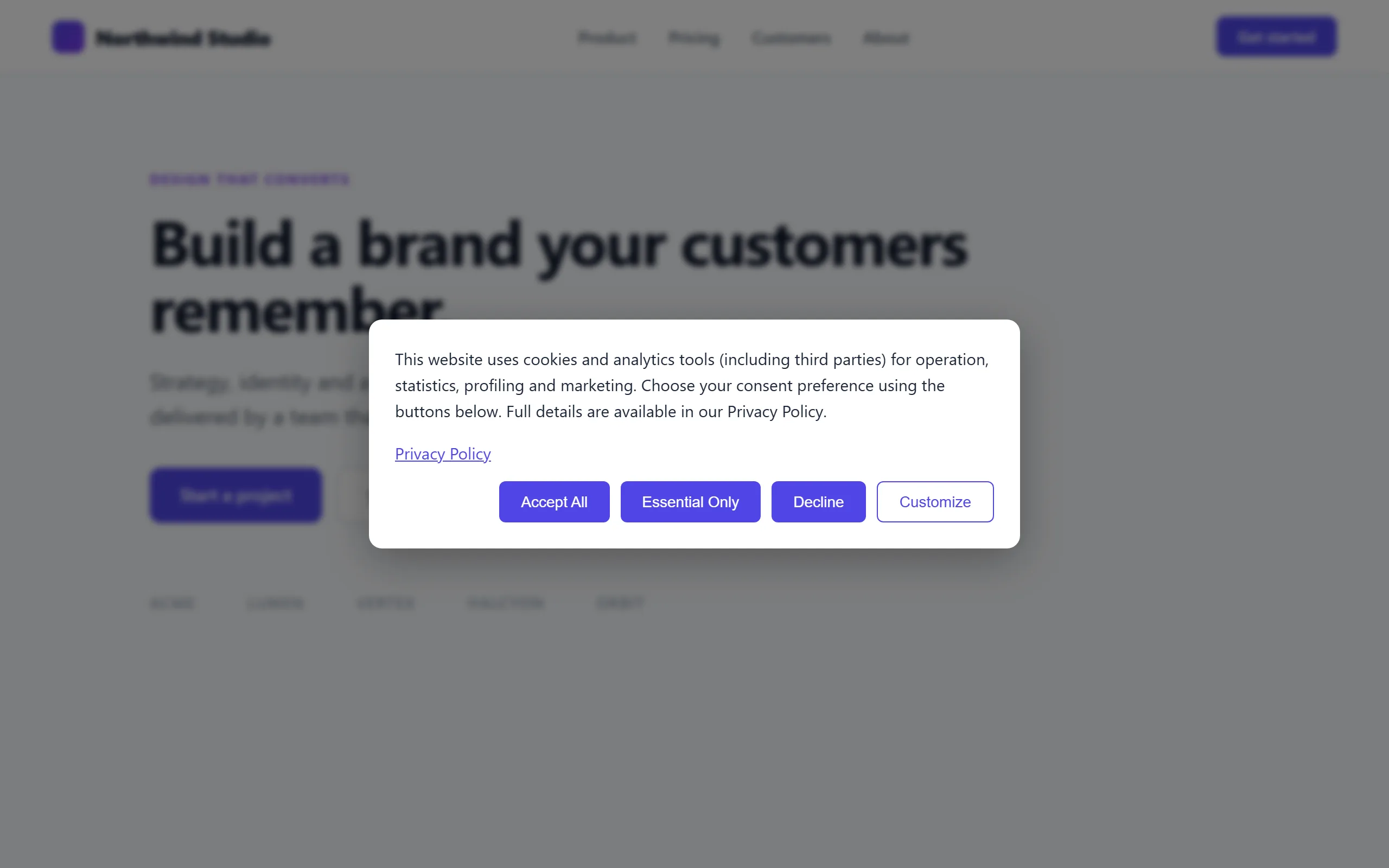
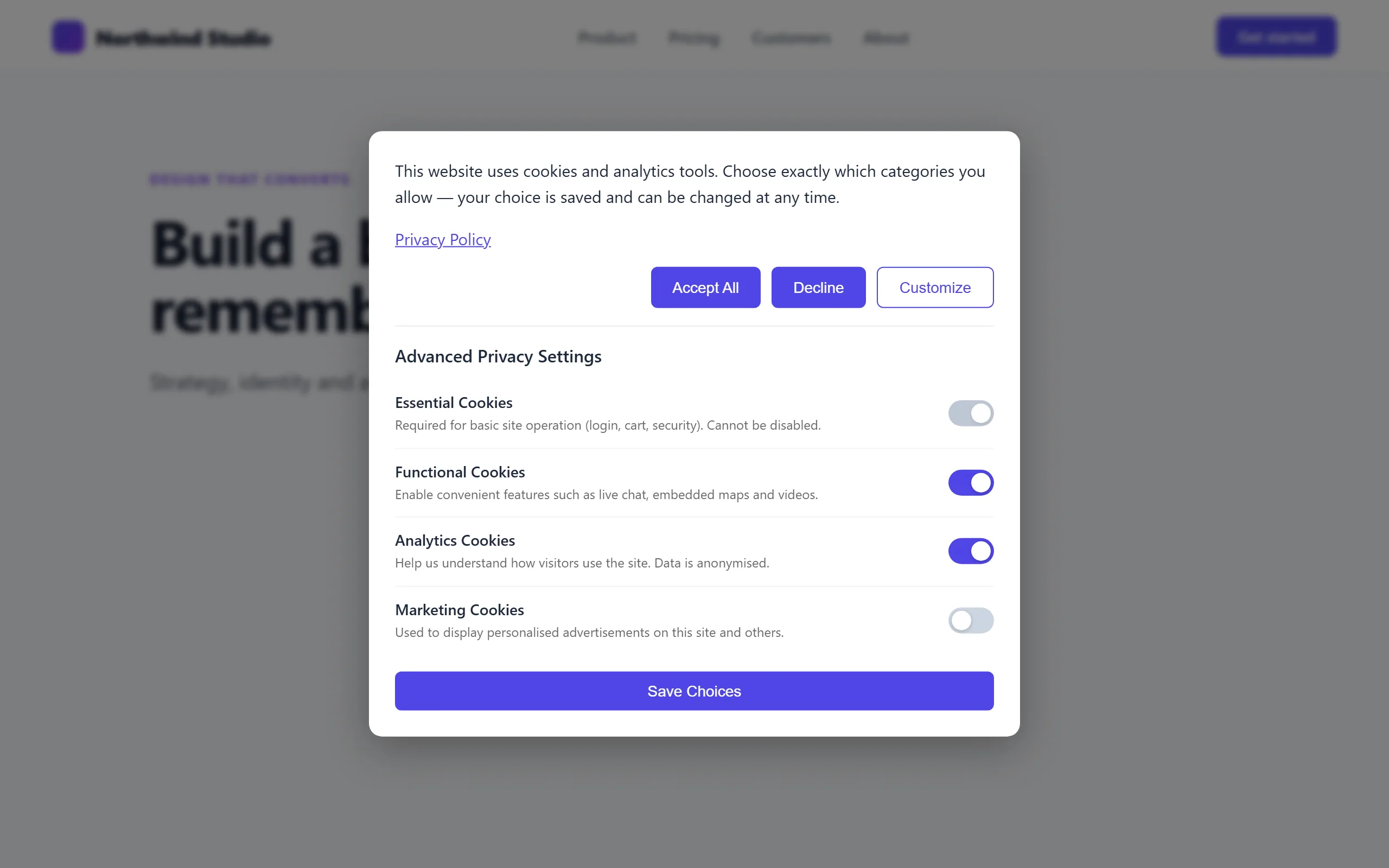
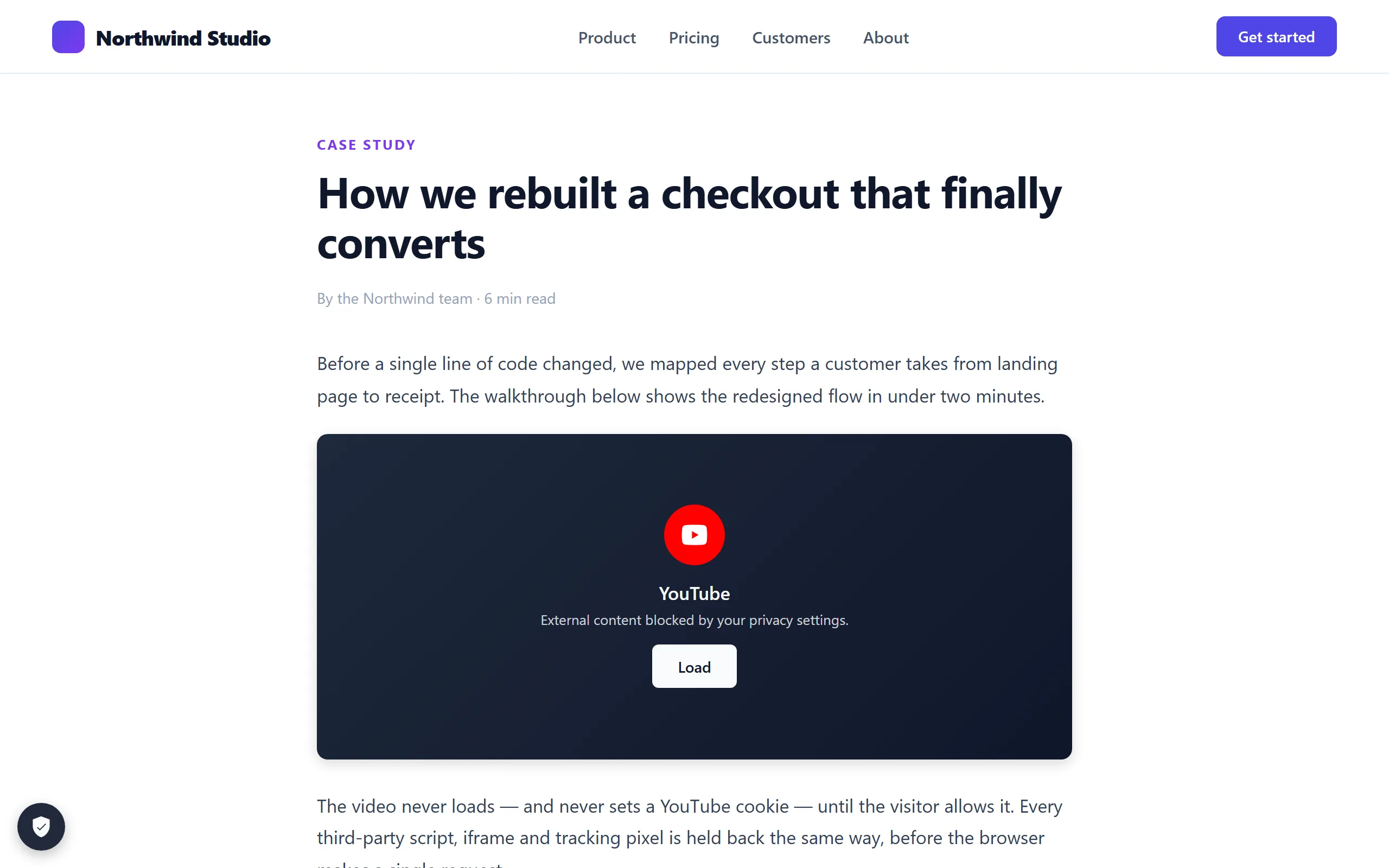
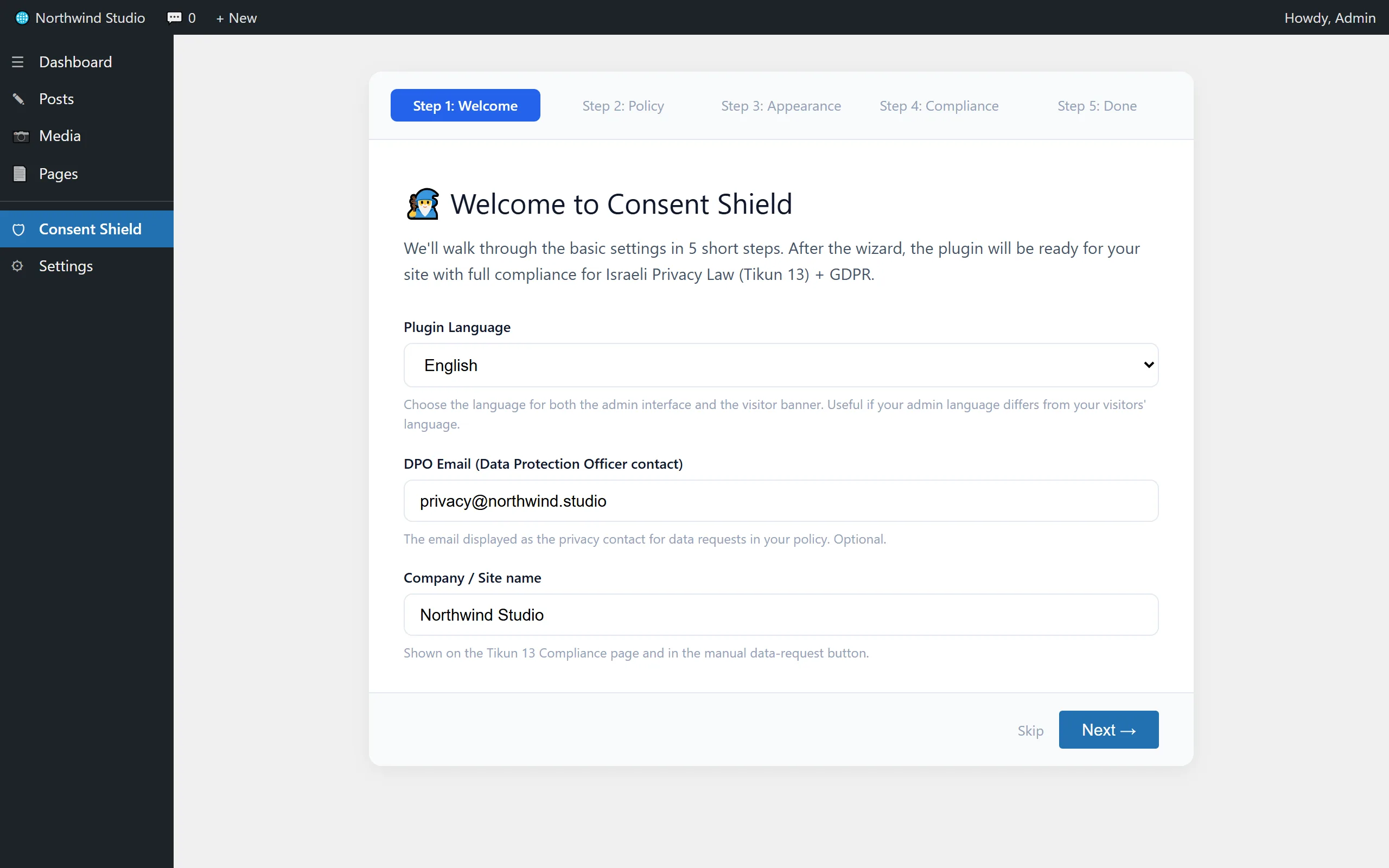
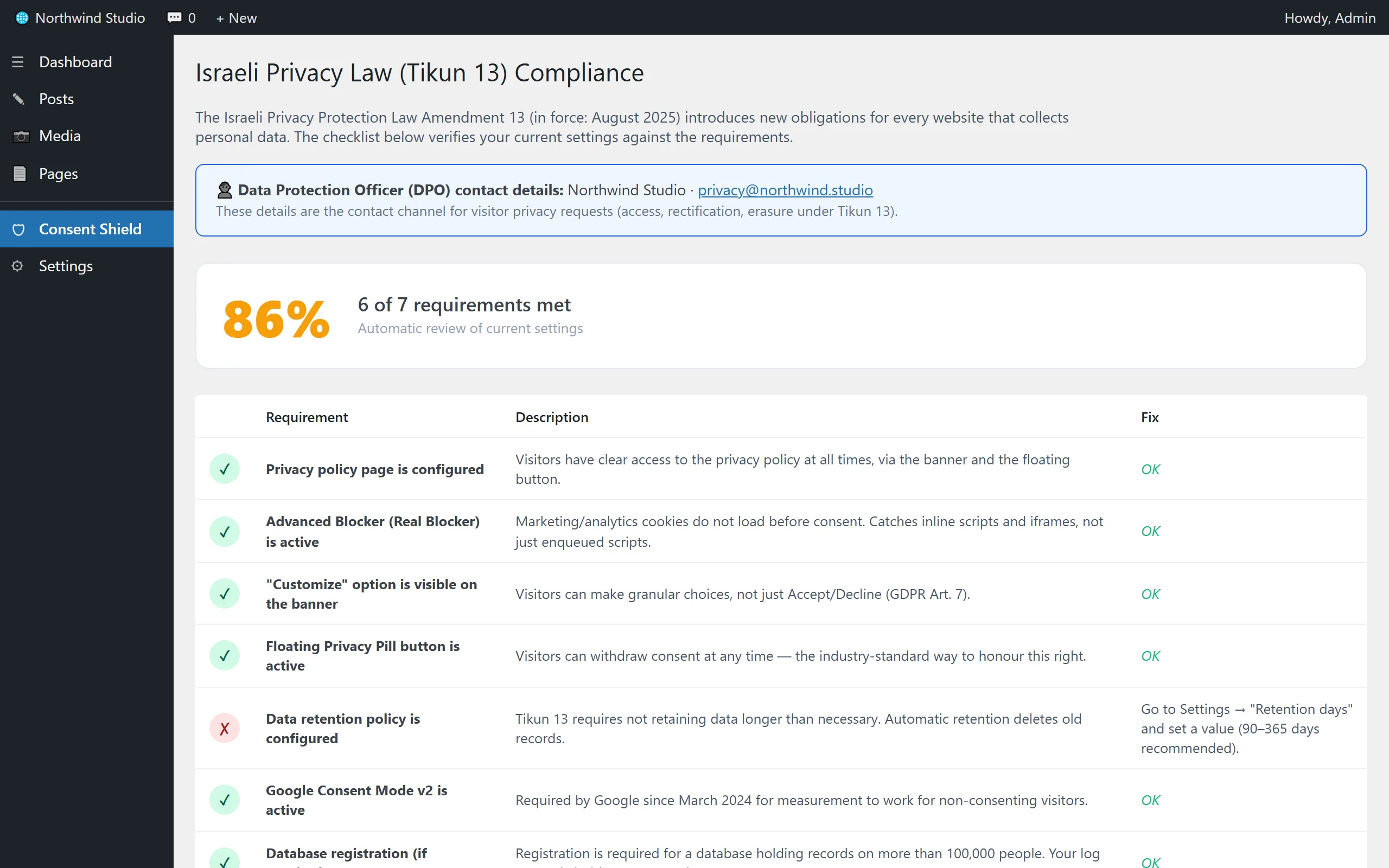
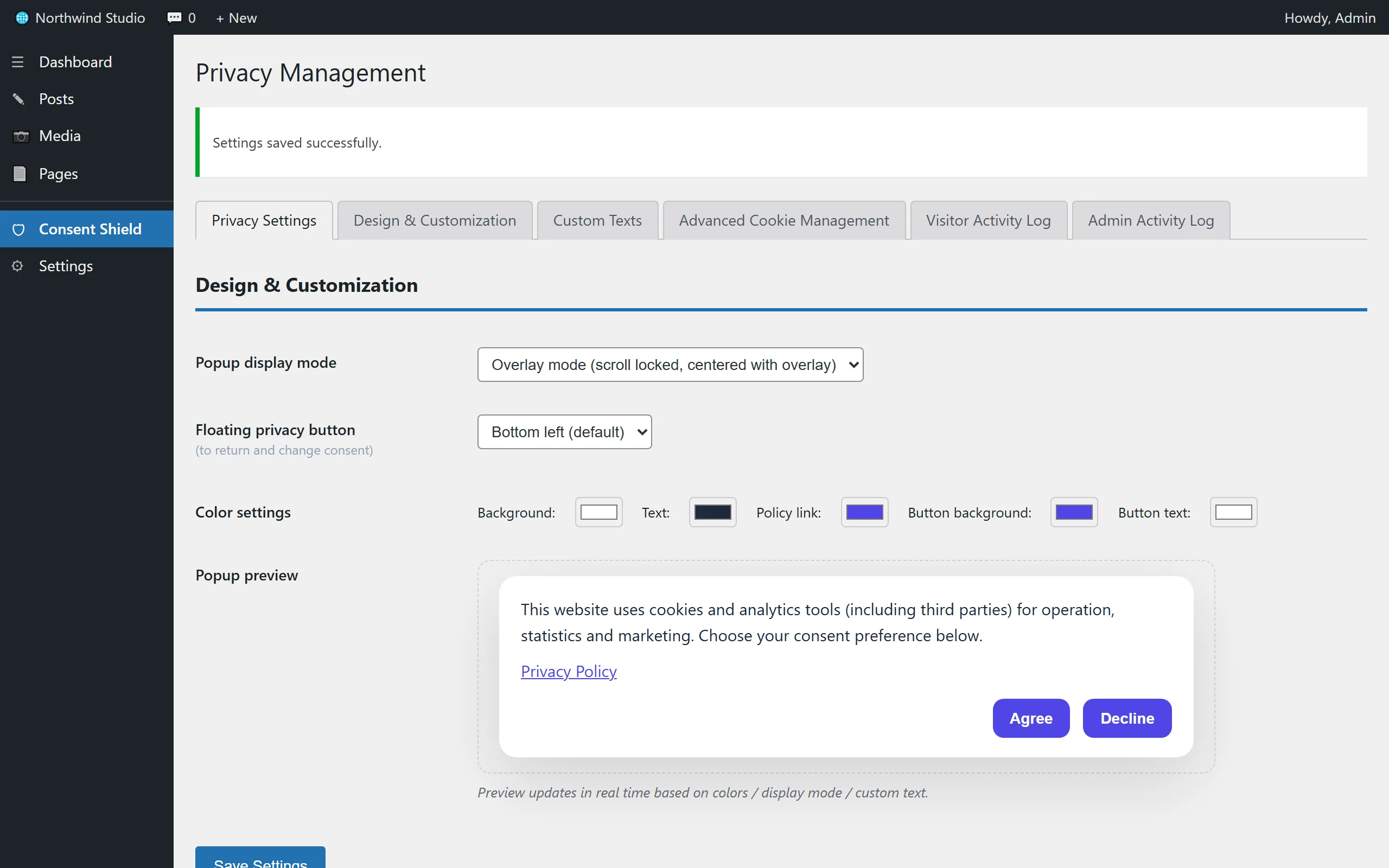
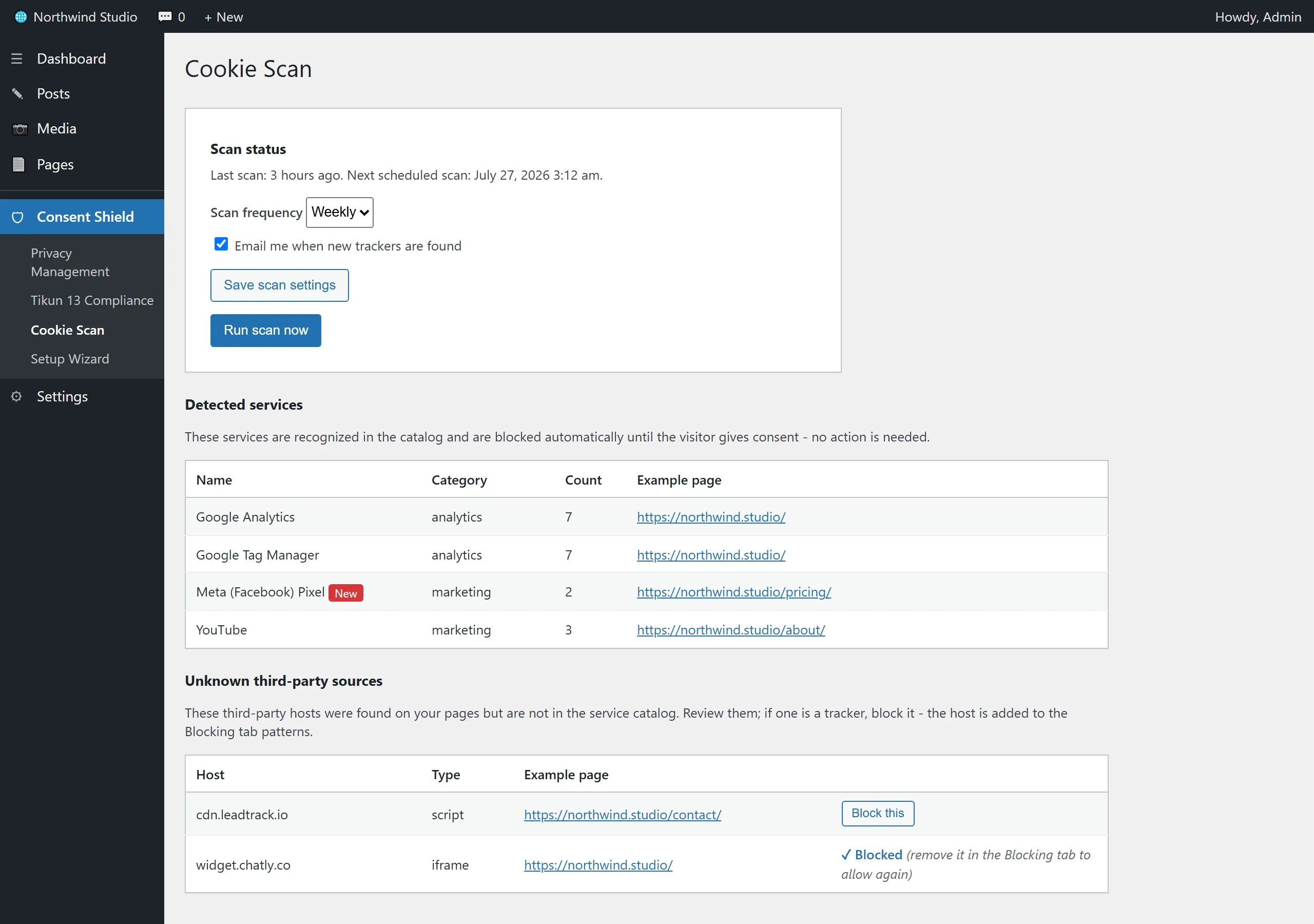
Scroll to move between screens
Free vs Pro
The free version is a complete, working plugin. Pro adds the business and legal layer.
| Capability | Consent Shield (free) | Consent Shield Pro |
|---|---|---|
| Consent banner + categories + floating privacy button | ||
| Real server-side blocker (scripts, pixels, iframes) | ||
| Google Consent Mode v2 | ||
| Compliance checklist + setup wizard | ||
| Keyboard- and screen-reader-accessible banner (WCAG 2.1 AA) | ||
| Consent log: 90 days / 500 records by default, adjustable up to 100 years and 1,000,000 records | ||
| Banner wording by visitor country (GDPR / CCPA) | ||
| A separate color for every button | ||
| Embedded Hebrew web fonts + custom font | ||
| Auto-detect scanner for scripts and domains | ||
| Priority support |
The free version is available in the official WordPress plugin directory. Pro ships as a full plugin that replaces the free one; all settings and data carry over automatically.
Download and get started
The free version is live in the official WordPress plugin directory - a complete plugin that works in full, with no licence key and no time limit. Pro is available for instant purchase.
Consent Shield
Everything you need for real consent compliance, with no asterisks: no licence key, no trial, no time limit. Every capability listed here works in full. The Design screen has one block marked Pro, a preview of the Effects controls, and that is all of it.
- Real server-side blocker: GTM, Pixel, iframes and pixels
- 4 consent categories + full RTL support
- Immutable consent log + CSV export
- Automatic Google Consent Mode v2
- Setup wizard + compliance checklist
Consent Shield Pro
The full version. It replaces the free plugin - every setting and record carries over automatically.
- Geo-routed banner text (GDPR / CCPA)
- Visual layout picker + button arrangement
- Per-button colors, gradients, shadows, icons
- Embedded Hebrew web fonts
- Auto-detect scripts and domains
Install: WordPress → Plugins → Add New → Upload Plugin → pick the ZIP → Activate. The wizard opens automatically.
Need a legally drafted privacy policy and full on-site implementation too? We offer a complete compliance implementation package together with a specialist attorney.
Questions that keep coming up
Does it really block, or just hide the banner?
It really blocks. The plugin rewrites the HTML server-side and turns every tracking script into dormant code the browser never runs. That catches scripts other plugins inject - Elementor custom code, WPCode and Insert Headers and Footers snippets, GTM code, and YouTube/Maps iframes - the things regular WordPress filtering (wp_enqueue) misses.
Does it work with Elementor, WPCode and header/footer plugins?
Yes. Because we rewrite the page's final HTML instead of relying on WordPress's loading system, it does not matter how the code got in: Elementor custom code, a WPCode or Insert Headers and Footers snippet, GTM code pasted into the theme, or a tag another plugin adds - all held until consent. Two edge cases: a rare inline script with no known signature, and a tag a tag-manager injects at runtime (handled by blocking the parent plus Google Consent Mode v2). The auto-scanner surfaces those so you can add them to the list.
I use Cloudflare or WP Rocket. Will it work?
Yes, it was designed exactly for that. The cached page is identical for all visitors (everything blocked by default), and the decision about what to release happens in each visitor's browser based on their own cookie. No real-time server dependency. Aggressive optimisation does not break the banner either: its position is set on the element itself, so Remove Unused CSS cannot push it to the bottom of the page. With WP Rocket the plugin adds every needed exclusion by itself (Remove Unused CSS, Delay JS, Lazy Rendering) and clears the cache after each update. Nothing to configure by hand.
I'm on the free version. What happens when I upgrade?
Install Pro and it deactivates the free version automatically. All settings, custom texts and the consent log are kept as they are - they live in the database, not in the plugin files.
Will it slow down my site?
No. The blocking script is tiny, loads first with no external libraries, and the server-side rewrite adds milliseconds to page generation. Cached sites do not feel it at all, and most sites actually get faster because trackers stop loading for nothing.
If I install the plugin, am I compliant?
The plugin covers the technical side: consent before loading, categories, the right to withdraw, and documentation. Regulations also require a properly drafted privacy policy and consent checkboxes on forms. We offer a full implementation package together with a specialist internet-law attorney. This is not legal advice.
Is the consent banner accessible?
Yes, and it was a design goal rather than an afterthought. The banner is a real dialog: focus moves into it when it opens, stays inside it while it is open, and is restored when it closes. Every button and checkbox is a native control with a label and a visible focus indicator, and the operating system's reduced-motion preference is honoured. The admin colour picker shows a live contrast ratio and warns you before you pick a combination that falls below 4.5:1. The consent interface is built to meet WCAG 2.1 AA, which matters for the European Accessibility Act (in force since 28 June 2025) and for Israeli standard 5568. To be precise about it: this is not a certification, it covers the banner rather than your whole site, and we have not yet run a live screen-reader audit.
How do updates and support work?
The annual license includes automatic updates delivered straight to your WordPress plugins screen and priority support. We are an active, hands-on team and the plugin is maintained continuously.